
🤖 3 Basic Things Killing Your AI Usage for GRC
Your AI outputs are mediocre. You're making 3 basic mistakes. Fix your prompts, add context, use system instructions. Copy-paste templates included.
IN PARTNERSHIP WITH

The security leader’s playbook to GRC
If you’ve ever lost a week to audit prep, or spent hours tracking down screenshots, logs, or attestations…you’re not alone. And you don’t have to keep doing it.
Tines and Drata launched a new playbook showing how security teams are automating GRC to stay audit-ready without the manual grind.
The guide covers real workflows you can use right away, including evidence collection, drift monitoring & remediation, audit prep, and vendor risk.
📣 New Year, New Format (Based on Your Feedback)
In December, you told me what you wanted from this newsletter in 2026.
What you said:
21% explicitly: "Shorter, more tactical posts"
58% rated "Actionable steps" as highest value
Multiple requests: "Deeper technical content" on specific topics
What you're getting:
Shorter: 800-900 words (vs 2,000+)
Focused: One problem, one solution per piece
Tactical: Copy-paste templates, not comprehensive theory
Deeper: Series format for depth (not single mega-posts)
This week: Fix the 3 mistakes killing your AI usage. Each mistake gets a copy-paste template you can use today. No fluff. Just: here's the problem, here's exactly how to fix it.
Welcome to GRC Engineer 2026.
Let's get started.
🚀 The Year-Long Mission
This is Week 1 of 52 building AI scaffolding capability for GRC professionals.
Not "use AI to write faster." Build production AI systems that actually work.
Every week: One focused tactical piece teaching you context architecture, validation frameworks, and production agentic systems.
By December 2026, you'll have both deep GRC domain expertise and AI engineering skills.
The GRC professionals who master AI scaffolding will define the next decade. I'm trying to help build that army, one tactical piece at a time.
The context revolution starts with the basics.
📌About Sponsorships: Sponsors support GRC Engineer and allow the content to be free but have zero editorial input. They don't see content before publication, don't influence topics, and can't change what I write. This is contractually enforced to maintain editorial independence and practitioner trust. Questions? reach out on LinkedIn.
You're using ChatGPT/Claude for GRC work.
Your outputs are mediocre. You blame the AI.
Actually, you're making 3 mistakes that kill 90% of AI value.
Fix these today, your results improve immediately.
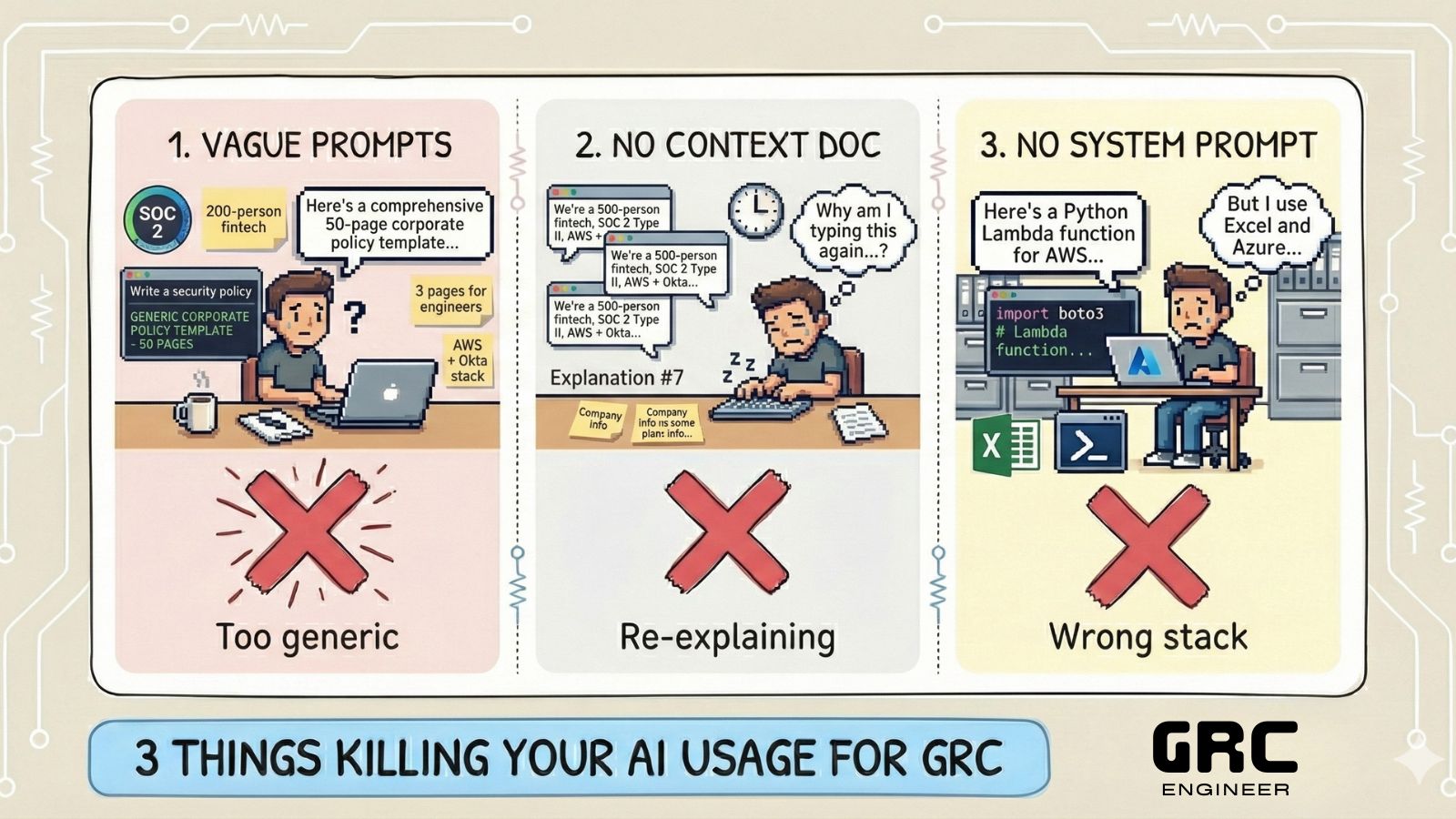
The 3 Mistakes ❌
The fixes: the three core mistakes making LLMs not work for you
Mistake 1: Vague Prompts
What you're doing:
Help me write a security policy.
Why it fails: AI has no context. Which policy? For whom? What industry? What regulations? What's your current maturity?
Fix it!
I'm writing an access control policy for a 200-person fintech startup.

Context:
- SOC 2 Type II certified
- Tech stack: AWS + Okta for identity
- Audience: Engineers who need requirements without legal jargon
- Current state: We have MFA but no formal policy documenting requirements

Write a policy covering:
1. Authentication requirements (MFA, password standards)
2. Access provisioning and deprovisioning
3. Privileged access management
4. Access review process

Keep it under 3 pages. Focus on what engineers need to implement, not what auditors want to see.
The difference: First output is now 80% usable instead of 20%.
Copy-paste template:
I need [SPECIFIC DELIVERABLE] for [COMPANY CONTEXT].

Context:
- [CERTIFICATION/FRAMEWORK STATUS]
- [TECH STACK/TOOLS]
- [AUDIENCE AND THEIR NEEDS]
- [CURRENT STATE]

Requirements:
1. [SPECIFIC REQUIREMENT 1]
2. [SPECIFIC REQUIREMENT 2]
3. [SPECIFIC REQUIREMENT 3]

Constraints:
- [LENGTH/FORMAT]
- [TONE/STYLE]
- [WHAT TO AVOID]
Copy this. Fill in your specifics. Use for your next 5 prompts.
Mistake 2: No Context Documents
What you're doing: Each prompt starts from zero. AI forgets your tech stack, your team structure, your risk methodology.
Why it fails: You waste 200 words every prompt re-explaining basics. AI can't build on previous context.
Fix it: Create baseline context document
Save this as "GRC Context.md" and paste at start of every session:
# My GRC Context

## Company Profile
- **Industry:** Financial services (B2B payments)
- **Size:** 700 employees, Series D
- **Stage:** Scaling from startup to enterprise

## Compliance & Frameworks
- **Current:** SOC 2 Type II (attestation Q3 2024)
- **Planned:** ISO 27001 (Q2 2025)
- **Regulatory:** FCA regulated, PCI DSS scope

## Technology Stack
- **Cloud:** AWS (primary), GCP (data analytics only)
- **Identity:** Okta (SSO + MFA)
- **Endpoint:** Jamf (Mac fleet management)
- **SIEM:** Datadog Security Monitoring
- **GRC Platform:** OneTrust

## Team Structure
- **GRC Team:** 2 analysts, 1 manager (me)
- **Security Team:** 1 CISO, 3 security engineers
- **Engineering:** 80 engineers across 12 teams

## Risk Management Approach
- **Methodology:** Qualitative (High/Medium/Low)
- **Risk Register:** 45 active risks tracked in Jira
- **Review Cadence:** Quarterly risk committee

## Current Pain Points
- Manual vendor assessments (150+ vendors, takes 3 months annually)
- Inconsistent control testing (no automation)
- Board reporting takes 20 hours per quarter
- Evidence collection scattered across 8 tools
Now every prompt builds on this foundation.
Instead of: "We're a fintech with Okta..." every time
You write: "Using the context above, help me automate our vendor assessments"
AI already knows your stack, your team, your constraints.
Your action: Spend 15 minutes creating your context doc. Save it. Use it for every session this week.
Mistake 3: No System Prompts
What you're doing: Using default ChatGPT/Claude with no custom instructions.
Why it fails: AI optimises for general users, not GRC practitioners. You get corporate-speak, not practitioner language.
Fix it: Custom system prompt for GRC work
You are a GRC engineering advisor for a practitioner who:

- Prefers concise, actionable guidance over comprehensive theory
- Values practical templates and code examples over abstract frameworks
- Works in fast-moving tech companies (not traditional enterprises)
- Thinks like an engineer: systems, automation, measurement, outcomes
- Understands GRC fundamentals (don't explain what SOC 2 is)
- Hates compliance theatre and audit-only approaches

When helping with GRC tasks:

DO:
- Provide copy-paste templates, checklists, and code examples
- Include specific tool examples (Vanta, Drata, AWS, Okta, Jira)
- Focus on threat-driven approaches (not just framework requirements)
- Show trade-offs and implementation challenges honestly
- Keep responses under 500 words unless asked for depth

DON'T:
- Use corporate jargon or consultant-speak
- Explain basic GRC concepts I already know
- Give generic "it depends" or "best practices" advice
- Write policies that sound like they came from a template library
- Suggest solutions that don't scale or create maintenance burden

When writing code or configs:
- Prefer Python, bash, or infrastructure-as-code
- Include error handling and logging
- Comment the non-obvious parts
- Show integration with common GRC tool APIs

When suggesting tools or approaches:
- Explain why, not just what
- Show cost implications
- Highlight where DIY breaks at scale
- Point out hidden complexity
The difference: Responses now match your actual work style. No more "As a GRC professional, you should consider..." Just: "Here's the code. Here's why it works. Here's where it breaks."
Your action: Copy this. Adjust the specifics to match your role (analyst vs manager vs CISO). Set it today. Use it for a week. Notice the difference.
IN PARTNERSHIP WITH

Automate your SDLC Governance with Kosli
Are you delivering software in a regulated industry? Know the pains of ensuring supply chain security, change management, and runtime monitoring? Kosli automates all of the governance tasks in your software delivery process, giving you speed, security, and audit-ready proof—at scale.
Do This Now ⏰
The plan: Easy checklist to apply this week’s concepts
This week, in this order:
1. Fix your prompts (Today, 10 minutes)
Use the prompt template above for your next 3 AI requests
Compare outputs to what you usually get
Notice: First draft is now 80% usable, not 20%
2. Create your context doc (Tomorrow, 15 minutes)
Fill out the
grc-context.mdtemplate with your specificsSave it somewhere you can easily copy (Notes app, Notion, wherever)
Use it at the start of every AI session this week
3. Set your system prompt (Tomorrow, 5 minutes)
Copy the GRC system prompt above
Customize for your role (more technical? more strategic?)
Set it in ChatGPT Custom Instructions or Claude Project settings
Success looks like:
First AI output is 80% usable (you're editing, not rewriting)
You stop re-explaining basics every prompt
Responses match your actual work style and needs
Your team asks: "How did you get this output?"
Next Week 📅
The next: let’s build on top of this next week!
The 30-Minute Workflow Audit Before AI
You've fixed your prompts.
Now let's audit which GRC workflows are actually worth automating (and which aren't).
You'll get a copy-paste checklist to run on any process.
Takes 30 minutes.
Shows you exactly where AI adds value vs where it creates more problems than it solves.
That’s all for this week’s issue, folks!